


Weather Live - Radar & Alerts
4.3459.00 Reviews
App Specs
- Version
- 1.3.3
- Updated On
- License
- Free
- Downloads
- 5,000,000+
- Developer
- HealthTracker Apps
- Categories
- Weather
- Platform
- Android, iOS
Screenshots
 Analysis by AppCompare
Before I open any weather app, I want one simple answer: should I change what I’m about to do? Weather Live - Radar & Alerts is built around that practical question, combining a forecast, a radar view, maps, alerts, and home-screen widgets. It is a free weather app from HealthTracker Apps, and its straightforward purpose makes it approachable if you want useful conditions at a glance rather than a hobbyist’s wall of charts.
What I’d expect from it
The useful way to think about this app is as a daily planning companion, not as a promise that every forecast will be exact. I would check it before a commute, a dog walk, or an outdoor errand, then use the radar when the sky looks uncertain. Those are different jobs: a forecast helps me plan ahead, while a map helps me judge whether precipitation may affect what I’m doing soon.
Its mix of daily forecasts, radar, weather maps, and widgets covers the usual reasons people reach for a weather app. That breadth is convenient, but it also means the first visit can feel like several tools competing for attention. I’d start with the main forecast and only move to the map when a specific question comes up, such as whether to leave now or wait for a shower to pass.
The app is rated for Everyone, so it is suitable for a general audience. It has a 4.4 average from around 23,000 ratings and has been installed over five million times. Those figures suggest it has found a broad audience, but they do not tell me whether its forecasts suit a particular neighborhood or routine. I would still judge it by how useful its local view is for the places I actually go.
A reassuring first setup
After installing it, I’d take a moment to set up the location and decide how I want to use the app. If I rely on a local forecast, giving it an accurate place to report on is more helpful than browsing a generic overview. I would also look at the available widgets and choose one only if a quick glance from the home screen would genuinely save me a few taps.
That small bit of setup can keep the app from becoming noisy. Weather information is most useful when it answers a real routine: the neighborhood where I start the day, a regular walk, or the area where I work. If I move between places, I’d check that the displayed location matches my plans before relying on the forecast. A nearby town can have different conditions, especially when rain is patchy.
The app is free to download, with in-app purchases listed from $1.99 to $9.99 per item. I’d begin with the free experience and see whether the basic forecast, radar, and widget options cover my needs before considering anything else. It runs on Android 6.0 or later, and version 1.3.0 is the current version described here; the app was released on June 28, 2023.
Worth Reading Before You Choose

Flipboard Shows What News Apps Must Do Beyond the Feed

Switching to Android Auto Means Rethinking Your Driving Routine

Google Calendar Makes a Crowded Week Easier to Manage

Ludo King Makes the Most of the Minutes Between Plans

Baby Panda World Brings Quick Play to Modern Phones, but Its Game Library Feels Busy

ESPN’s Live Game View Makes Following Close Games Easier
Getting to a useful first result
For a first meaningful check, I’d look at the forecast before leaving home and then open the radar if rain might affect the trip. A practical example: I’m about to walk to a bus stop, the sky is dark, and I have a bag that should stay dry. The forecast gives me the broader outlook; the radar gives me a visual reason to decide whether to take an umbrella or wait a little.
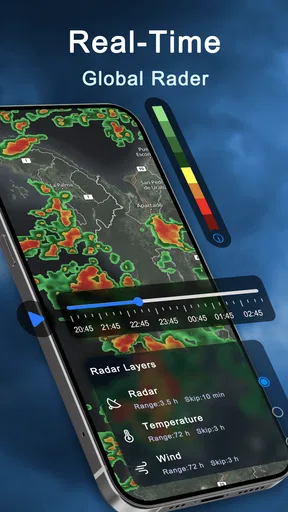
I would not treat a moving radar image as a guarantee about the exact minute rain will start at my door. It is better as context for a decision than as a stopwatch. If the map suggests precipitation is nearby, I’d allow extra time and check again before leaving rather than assuming a single glance settles the question.
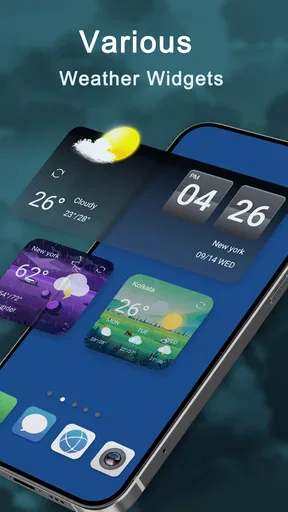
Widgets can make that quick check easier once I know which information I actually look at. A compact home-screen view is handy for routine decisions, but it cannot replace opening the app when I need the map or want to compare the broader forecast. I’d keep the widget focused on a fast glance and use the full app for anything that could change an outing.
Common points of confusion
One easy mistake is to read a forecast as certainty. Weather changes, and a forecast is an informed guide, not a guarantee. I use it to decide whether to prepare for rain, wind, or changing conditions, while keeping a little flexibility in plans that depend on being outdoors for a long time.
Another is assuming that every map answers the same question. A radar view is useful for seeing precipitation patterns, while a general weather map may present a wider picture. If I only want to know whether to carry a jacket, I do not need to study every available layer. Starting with the forecast and opening the radar only when it adds something keeps the experience simple.
Alerts are most helpful when I treat them as prompts to check conditions, not as a substitute for checking the route or the latest forecast myself. For a long drive or a day outside, I would look again before setting off. That habit is more dependable than making a plan once in the morning and assuming the weather will stay the same.
Where it fits among weather apps
Compared with a basic weather screen that only shows current conditions and a short forecast, this app brings radar, maps, and widgets into the same place. That is a good fit if I like having a visual check available without installing separate tools. On the other hand, someone who only wants a temperature and a simple rain chance may find a simpler app faster to scan and easier to keep uncluttered.
It is also not the right choice if the main need is specialist forecasting or detailed interpretation of meteorological data. I would use a dedicated source when a decision has serious consequences, such as planning work that depends on precise local conditions. For ordinary errands and day-to-day plans, the combination of forecast and map is more proportionate than a technical dashboard.
A practical trade-off is that more options can make the first session feel busier than a minimal forecast app. I would avoid trying to customize every screen at once. First confirm the location, then learn where the forecast and radar are, and only after that decide whether a widget or another view would improve the routine. That order makes the app easier to evaluate on its actual usefulness.
Who I’d recommend it to
I’d recommend it to someone who checks the weather most days and wants a forecast plus a visual way to think about approaching rain. It is particularly handy for people who make flexible plans: walking, commuting, running errands, or deciding whether to move an outdoor task earlier. The widget can suit anyone who prefers a quick glance, while the maps are there for moments when a simple number does not answer the question.
I’d suggest skipping it if all you want is the smallest possible weather display, or if you need highly specialized forecasting for professional decisions. And if an alert is central to your safety planning, I would not rely on one app alone; check relevant local guidance as well. Weather tools help me prepare, but the stakes of a decision should determine how much verification I do.
Getting Started
First things first, downloading Weather Live - Radar & Alerts is a breeze. Whether you’re on Android or iOS, it’s a quick hop to the app store, and you’re good to go. Once installed, you’re greeted with a sleek, user-friendly interface that doesn’t bombard you with too much info at once. It’s like the app knows exactly what you need without overwhelming you.
Features That Stand Out
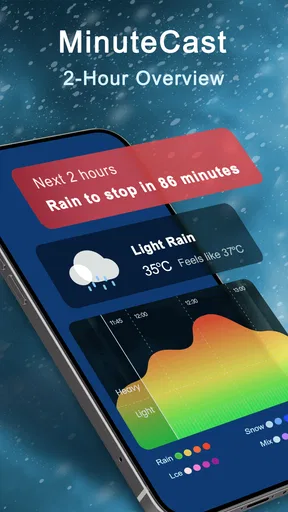
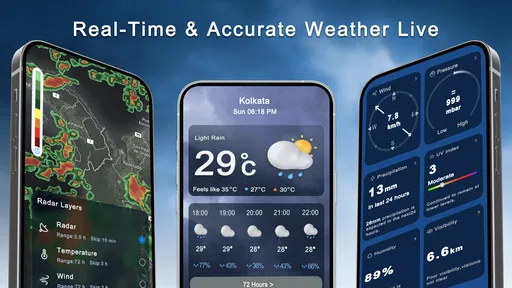
Now, let’s dive into the features. One of my favorites is the real-time weather radar. It’s not just a bland map with a few raindrops here and there. We’re talking about a dynamic, interactive map that gives you a detailed view of what’s headed your way. Whether it’s rain, snow, or a sunny day, you get a detailed picture of what’s coming.
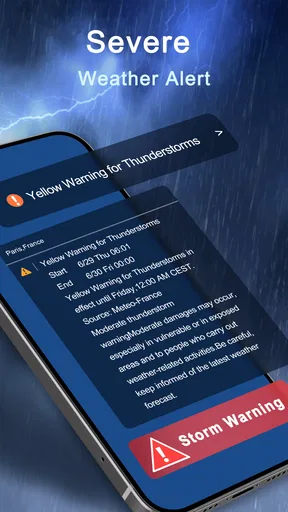
Then there’s the weather alerts. These are super handy if you’re planning a road trip or just heading out for the day. I found the alerts to be timely and precise, giving me enough time to adjust my plans if needed. No more surprise showers to ruin my day!
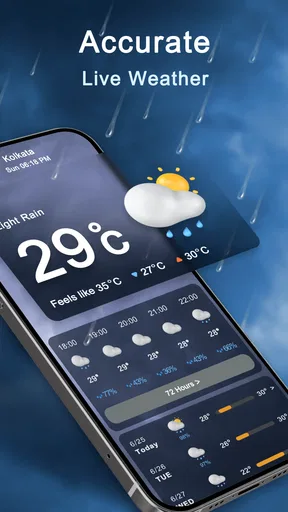
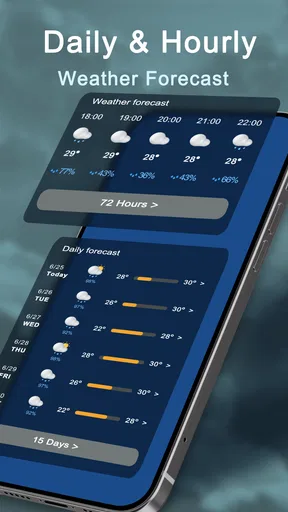
The app also offers a 7-day forecast. It’s perfect for planning your week. It’s detailed too, breaking down the weather into hourly increments for the next 24 hours. It’s like having a personal meteorologist in your pocket.
Personalization and Usability
One thing I really appreciated was how customizable the app is. You can tweak it to show exactly what you want to see. Don’t care about humidity levels? Just turn it off. Want to focus on wind speed? You got it. It’s like the app molds itself to your preferences, making it a truly personal experience.
And let’s not forget about the widget options. Having quick access to weather updates on my home screen is a game-changer. It’s all part of what makes the app so easy to use. You don’t need to jump through hoops to find the info you need.
Performance and Reliability
In terms of performance, Weather Live - Radar & Alerts runs smoothly. I didn’t encounter any crashes or glitches, which is a huge plus. It loads quickly, and the radar updates in real time without any lag. The app’s reliability is top-notch, and it’s clear a lot of thought went into making sure it runs seamlessly.
Visual Appeal
Visually, the app is quite appealing. The graphics are crisp, and the layout is intuitive. It’s not just about functionality; it’s also about making sure the user experience is enjoyable. The color schemes are easy on the eyes, making it pleasant to check the weather, even if it’s dreary outside.
Final Thoughts
So, what’s the verdict? If you’re looking for a reliable, feature-packed weather app, Weather Live - Radar & Alerts is a solid choice. It’s user-friendly, customizable, and packed with features that make weather planning simple and straightforward. Whether you’re a weather enthusiast or just someone who needs to know if you should carry an umbrella, this app has you covered.
In a world where the weather can sometimes be as unpredictable as life itself, having an app like Weather Live - Radar & Alerts is a lifesaver. It’s like having a little weather guru in your pocket, always ready with the latest updates. Trust me, once you try it, you’ll wonder how you ever managed without it.
My bottom line
What I like most is the practical combination: a broad forecast for planning, a map for checking changing conditions, and a widget for quick access. I would use it as a daily reference, not as the only authority for an important weather-dependent decision. That distinction keeps its strengths in perspective and makes the app easier to recommend honestly.
If you are new to weather apps, start with one simple routine: check the local forecast before your first outing, then open the radar only when the forecast or the sky gives you a reason. After a few days, you will know whether the widgets and extra map views genuinely save time. For me, that is the best way to decide if this free app earns a place on your home screen.
Pros
- Real-time radar updates enhance accuracy.
- Customizable weather alerts for any location.
- User-friendly interface with intuitive navigation.
- High-resolution maps with detailed overlays.
- Supports multiple locations for global tracking.
Cons
- Occasional lag during heavy data load.
- Premium features require subscription.
- Frequent ads in the free version.
- Limited offline functionality.
- Battery drain can be significant in use.
FAQs for Weather Live - Radar & Alerts
What features does Weather Live - Radar & Alerts offer?
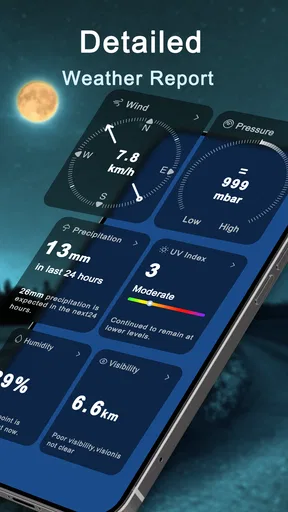
Weather Live - Radar & Alerts provides real-time weather updates, including detailed forecasts, radar maps, and severe weather alerts. The app offers customizable widgets, precipitation forecasts, and temperature feels-like data. It also includes sunrise and sunset times, wind speed and direction, and a live radar map for tracking storms and weather changes.
How accurate is the weather information provided by the app?
Weather Live - Radar & Alerts uses data from multiple weather providers to ensure high accuracy. The app offers hyper-local forecasts, allowing users to receive updates specific to their location. Frequent updates and radar maps enhance reliability, making it a trusted source for weather planning and alerts.
Is Weather Live - Radar & Alerts free to use?
The app is available as a free download, offering basic features without any cost. However, users can upgrade to a premium version through in-app purchases to access additional features such as an ad-free experience, advanced radar tools, and extended forecast data. This ensures users can choose based on their needs.
Can I customize the notifications for weather alerts?
Yes, Weather Live - Radar & Alerts allows users to customize notifications according to their preferences. Users can set alerts for severe weather conditions, daily forecasts, or specific weather changes. The app provides options to choose the type of alerts and the time of day they are received, ensuring timely and relevant updates.
Is the app user-friendly for beginners?
Weather Live - Radar & Alerts is designed with a user-friendly interface that is easy to navigate. Beginners can quickly access weather information, with intuitive layouts and clear icons. The app includes tutorials and help sections, making it suitable for users of all experience levels to understand and utilize its features effectively.


